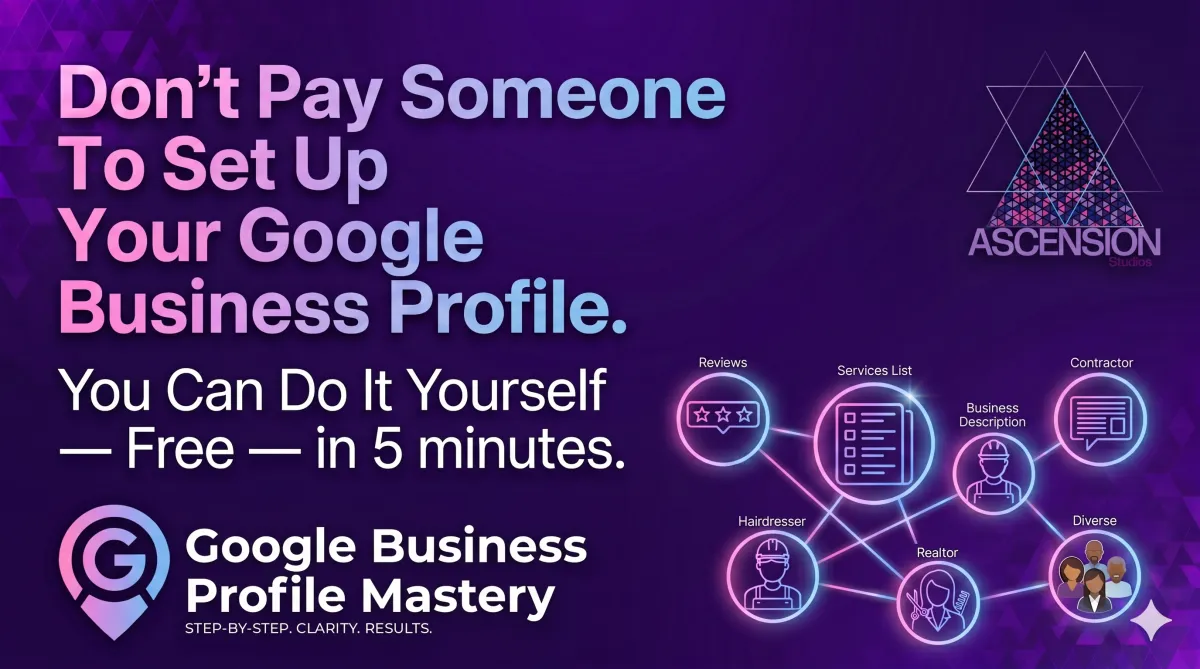
Don't Pay Someone To Set Up Your Google Business Profile. You Can Do It Yourself — Free — in 5 minutes.
And chances are, you already qualify. Most local business owners don't know that.
Neesha James· Ascension Studios · 8 min read· Free guide
I run a multimedia studio and AI agency in Downtown Arlington, TX. Every week I'm at a networking event, and every week I meet local business owners — coaches, contractors, hair stylists, insurance agents, real estate agents — who don't have a Google Business Profile.
When I ask why, two answers come up almost every time:
Myth 1
"I don't have an LLC or a registered business, so I don't think I qualify."
Myth 2
"I work from home / I go to my clients — I don't have a storefront, so I can't get one."
Both of these are completely false. And they're costing business owners customers every single day.
Let's clear this up right now
Google Business Profile is not for corporations. It's not for storefronts only. It is not something you need an attorney or a registered LLC to access. It is a free tool built specifically for anyone who does business with people in their local community.
Google's own eligibility rule is simple: if you serve customers face to face — whether they come to you, or you go to them — you qualify. That's it.
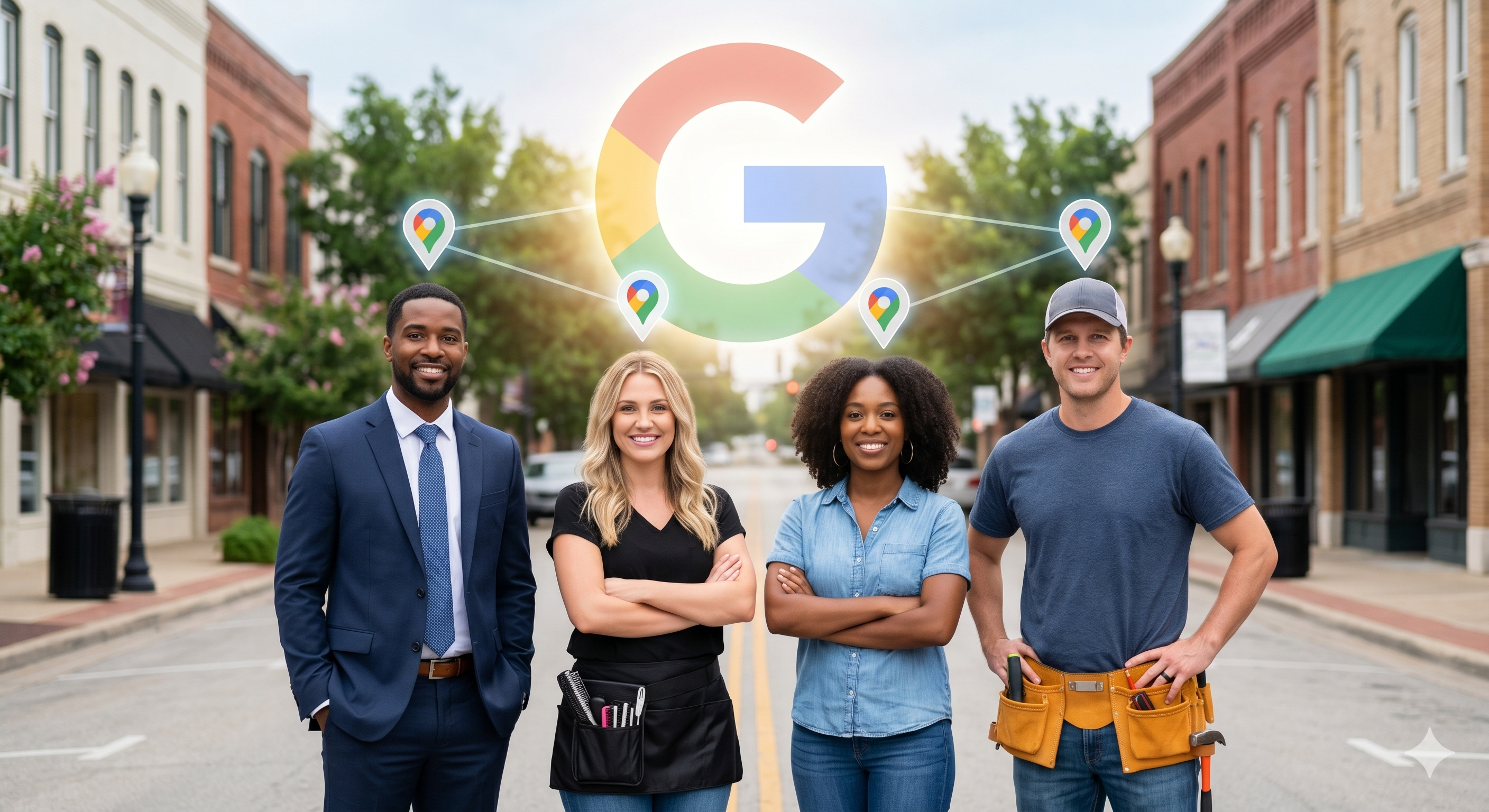
You qualify if you are any of these:
A freelancer, coach, or consultant who meets clients in person
A mobile business — lashes, braids, massage, auto detailing, cleaning
A contractor, handyman, landscaper, or home service provider
A real estate agent, insurance agent, or financial advisor
A photographer, videographer, DJ, or event professional
A personal trainer, yoga instructor, or wellness practitioner
A food vendor, caterer, or pop-up shop owner
A salon or barber who rents a booth
Any sole proprietor or side hustle with local clients
You do not need an LLC. You do not need a commercial address. You do not need a website. You just need to be doing business with people locally.
"But what about my home address — do I have to make that public?"
No. Google lets service-based businesses hide their address and list only the areas they serve.
Here's what's actually at stake
When someone in your city types "life coach near me," "mobile detailer Arlington," or "lash artist Fort Worth" into Google — a list of local businesses appears with photos, reviews, hours, and a button to call or get directions. That is the Google Business Profile map pack. And if you don't have a profile, you are not on that list. Period.
They don't know to look for you by name. They're searching by what they need. And right now, your competitors who did set up their profile are collecting those customers while you're invisible.
Think about this
Businesses with a complete Google Business Profile are 7x more likely to get a click than incomplete ones. Reviews alone can increase inbound calls by over 60%. All of that traffic is free — you just have to show up.
How to set up your Google Business Profile — free, right now
You'll need a Google account (a Gmail works), your business name, your phone number, and about 15 minutes. That's it.
Step 1: Sign In and Start
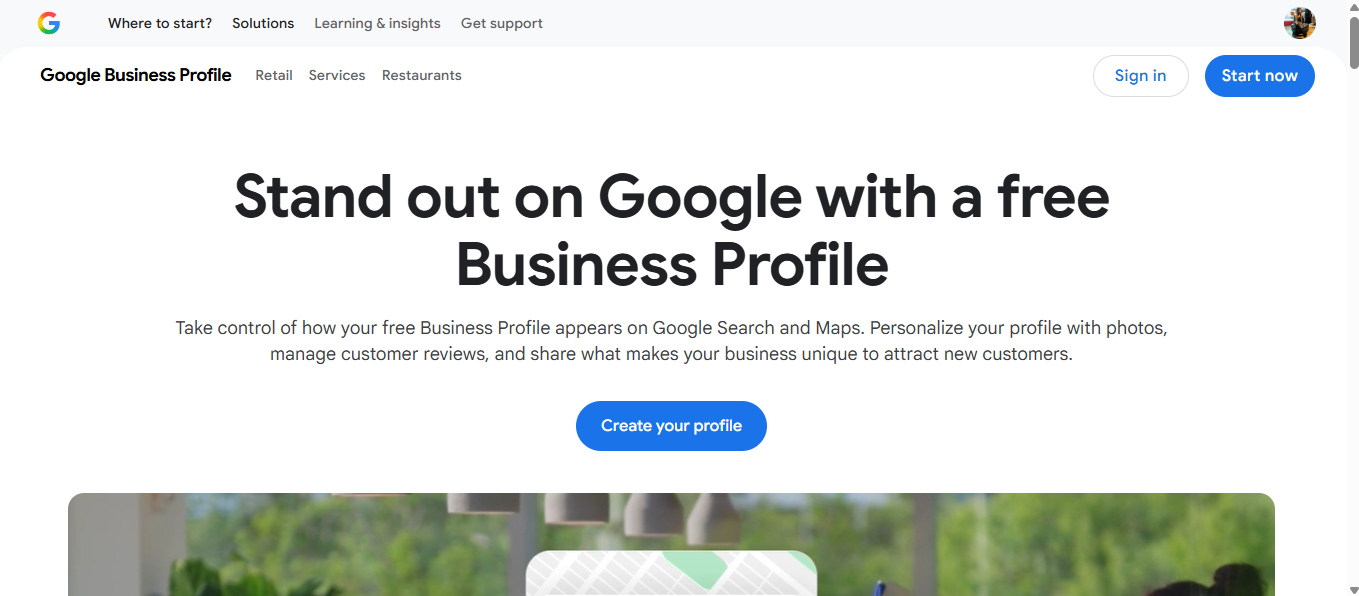
Go to business.google.com and sign in with your Google/Gmail account. Click "Start Now" or "Create Your Profile" to begin. If you don't have a business-specific Gmail, you can create one right there for free.
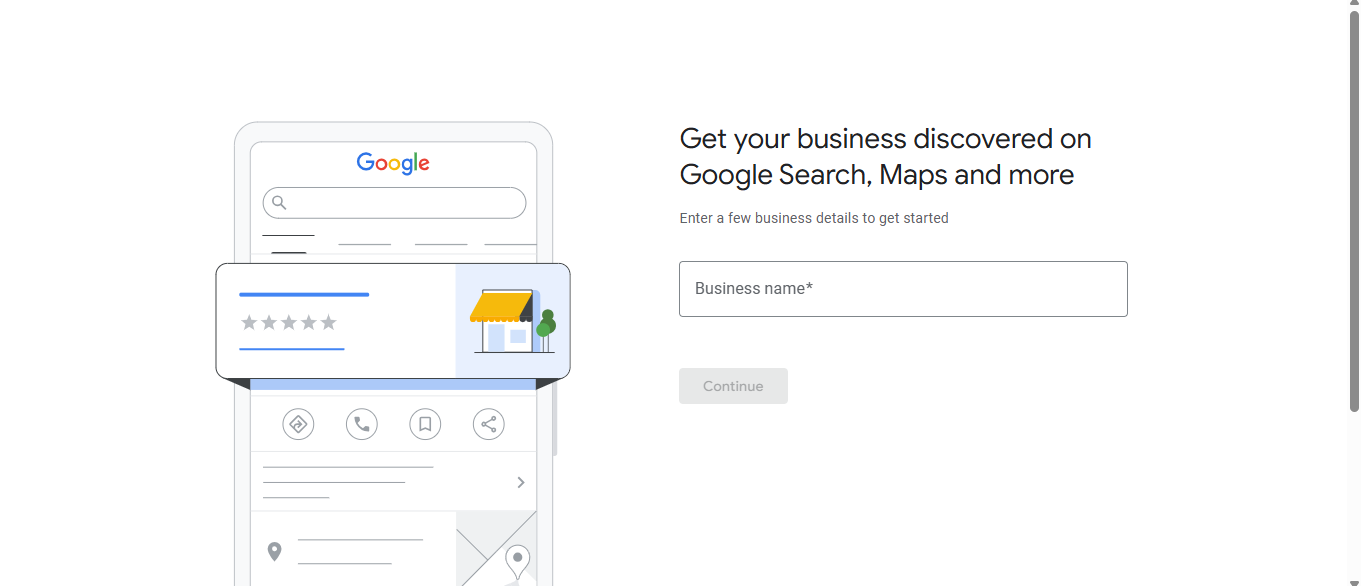
Step 2: Enter Your Business Name & Primary Category
Type your business name exactly as it should look to the public. If your business pops up in a drop-down menu, Google already has a partial record of it—click "Claim this business." If it doesn't appear, click "Create a business with this name."
Next, choose your Primary Category (e.g., Plumber, Hair Salon, Marketing Consultant). Be precise here; this heavily dictates how Google indexes your services. You can add secondary categories later.
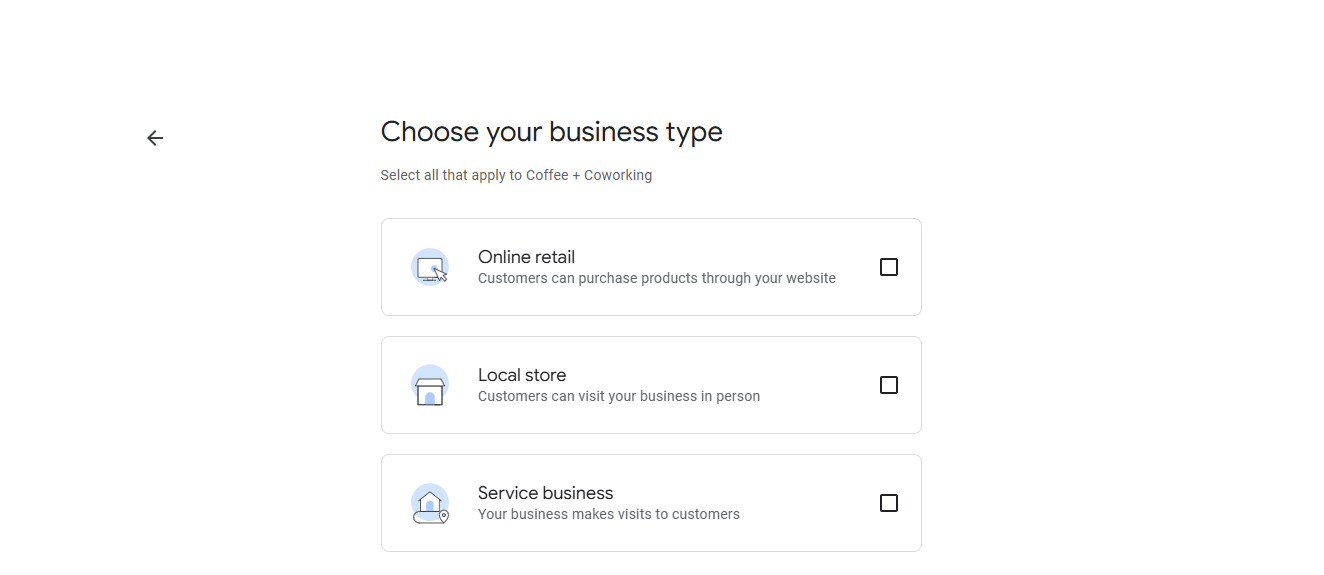
Step 3: Select Your Business Type (Crucial Step!)
Google will ask you to check the boxes that apply to your business structure. You can choose more than one if applicable:
Online Retail: Warning: If you select this exclusively, Google will tell you that purely digital stores do not qualify for a local profile.
Local Store (Storefront): Choose this if you have a physical brick-and-mortar location where customers walk through the door.
Service Business: Choose this if you go to your clients or work from home.
Step 4: Set Your Location or Hide Your Address
If you chose "Local Store": You will be prompted to enter your physical shop address.
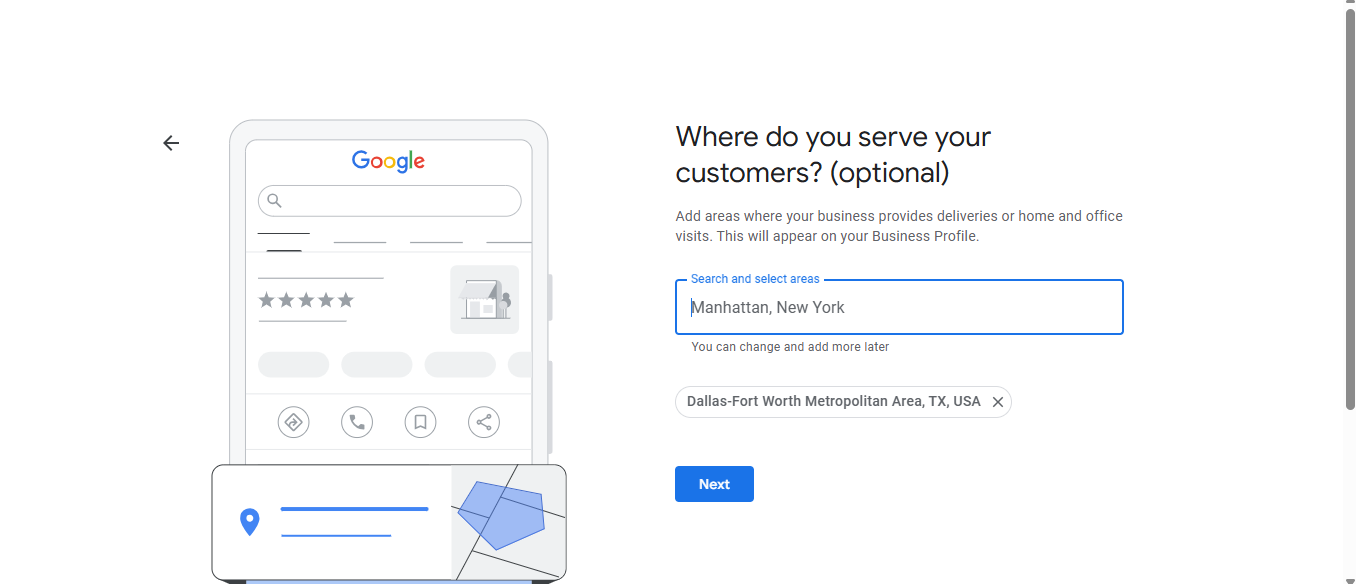
If you chose "Service Business": Google will ask for your Service Areas. Enter the cities, counties, or zip codes you physically travel to (e.g., Arlington, Fort Worth, Mansfield).
The Verification Address: Next, Google will ask for a physical address to verify your account. If you work from home, enter your home address here. Google explicitly states on this screen that this address will remain completely hidden from the public and will not appear on your live profile.
Step 5
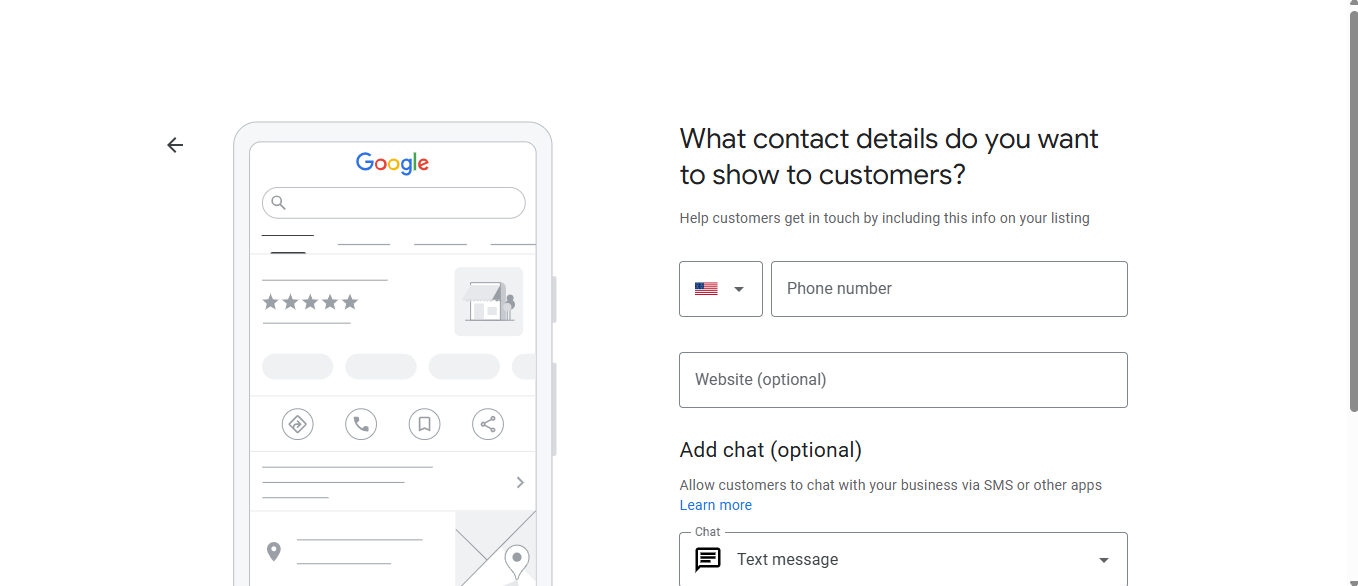
Add Contact Details
Enter your phone number and your website URL. If you don't have a website yet, you can check the box for "I don't have a website" or link directly to your digital booking link, Facebook page, or Instagram profile.
Step 6: Verify Your Business
Google needs to confirm you are a real local business operator. While the classic 5-digit postcard method still exists as a backup option for some accounts, Google now defaults heavily to Video Verification or text/email codes.
For Video Verification: You will need to record a quick, uninterrupted video on your mobile device. Google will look for your proximity landmarks (like a street sign or your neighborhood), your business equipment or inventory, and proof of management (like unlocking your vehicle with your keys or logging into your scheduling software).
Once you're verified — what actually drives results
Creating the profile is the foundation. But a profile that sits untouched after setup ranks lower over time and loses trust fast. Here's what moves the needle after you're live:
Post consistently. Google's algorithm favors active profiles. Regular posts — offers, updates, events, tips — signal that your business is open and engaged. Think of it like a social feed built directly into search results.
Collect reviews — and make it easy. Reviews are the number one factor in local search ranking. The volume, recency, and frequency of your reviews tells Google how trusted you are in your community. Most customers don't leave reviews unless you ask.
Reply to every review. How you respond to reviews — especially negative ones — is visible to every potential customer who reads your profile. Your reply is public marketing. Use it intentionally.
Keep your info current. Wrong hours, old phone numbers, and missing services directly cost you customers. Google may also flag your listing if the info looks outdated.
Here's the honest truth: most business owners set up the profile and never touch it again. Not because they don't care — but because they're busy. And that's exactly where the real opportunity is for the businesses that stay consistent.
What IS worth paying for — after you're set up
Setting up the profile? Free. Do it yourself today. But the ongoing strategy — consistent posting, automated review collection, and AI-powered review replies — that's where the ROI compounds, and it's also where smart automation earns its price.
When AI is handling your GBP posts on a set schedule, texting your customers at the right moment to leave a review, and crafting keyword-rich replies to every review you receive — your profile is doing active SEO work around the clock, without you lifting a finger.
For DFW local businesses
Your Google profile should be working for you — even when you're not
At Ascension Studios, we use AI to automate the two biggest drivers of local SEO: consistent GBP posting and review management. Our clients build trust, climb search rankings, and convert more searchers into paying customers — on autopilot.
Book a free 30-minute strategy session. We'll show you exactly where you stand in local search right now — and what it would take to move up.
Book Your Free Strategy Session
Questions? Find us at https://ascensionstudiosdfw.com/— and join our free networking community for DFW business owners.

